Available today
Hong Kong Only 4G/5G Unlimited Data eSIM
US$ 8.73
 Point Guide
 AI Picks
Book tickets, tours, & activities worldwide with GlobalTix.
Use 5G data across Hong Kong on the CSL network
Local IP lets you browse just like a local line
Choose from total-data and daily-data plans from 1 to 30 days
Get online as soon as you land
on Hong Kong's CSL 5G network
A data-only eSIM for Hong Kong. It covers all of Hong Kong on the CSL network and connects with a local IP. Install it with the QR code before you fly, then simply turn on the line when you arrive in Hong Kong to connect and activate automatically. Hotspot sharing is available.
Pick a plan that fits your trip
Choose a validity of 1 to 30 days. Pick a total-data plan (3GB, 5GB, 10GB, 20GB, 30GB or 50GB) to use across your whole trip, or a daily-data plan (0.5GB, 1GB, 2GB, 3GB or 100GB per day), depending on how you travel.
Install easily with a QR code before you fly
On a stable internet connection, scan the QR code or use the app for one-tap installation. iPhone: Settings > Cellular > Add eSIM. Android: Settings > Network & Internet > SIMs > Add mobile plan.
Just turn on the line when you arrive
After arrival, turn on the eSIM line in Settings and set it as your mobile data line to connect automatically. If the connection is unstable, toggle Airplane Mode or restart your device. If needed, set the APN to "CTExcel" manually.
※ This is a data-only eSIM, so voice calls and SMS are not available.
※ Once installed, the eSIM is bound to that device and cannot be transferred.
eSIM data
Hotspot sharing
Voice calls
SMS
 How To Use
Install the eSIM with the QR code in your voucher.
After arriving in Hong Kong, turn on the eSIM line in Settings to connect and activate automatically.
This is an open ticket that can be used without selecting a date.
iPhone: Settings > Cellular > Add eSIM
Android: Settings > Network & Internet > SIMs > Add mobile plan
Install while connected to a stable internet connection (e.g. Wi-Fi).
Make sure the eSIM line is turned on and set as the mobile data line.
Check that the APN is set to "CTExcel" and set it manually if needed.
Turn off any VPN.
Toggle Airplane Mode on and off or restart your device.
※ All usage conditions are subject to the information stated on the voucher. Refunds or compensation will not be provided if you are unable to use the service due to failure to check the information.※ All usage conditions are subject to the information stated on the voucher. Refunds or compensation will not be provided if you are unable to use the service due to failure to check the information.
 What to Remember
 Point Guide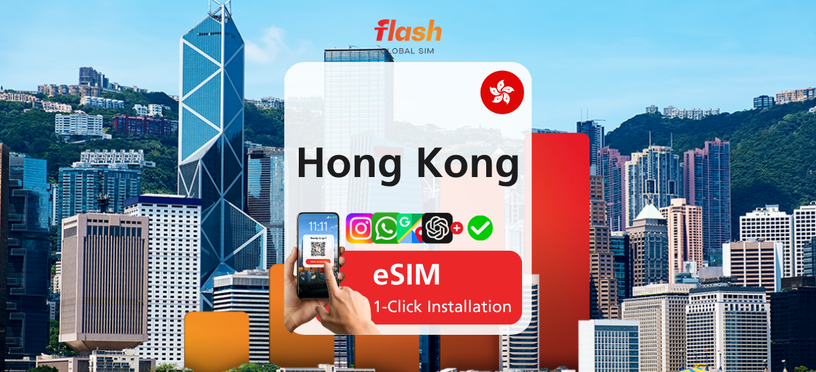



![[Hong Kong Airport Pick-up] Hong Kong Octopus Card - HKD 50 Loaded](https://d2mgzmtdeipcjp.cloudfront.net/files/good/2025/02/01/17383930533586.jpg?s=656x372&t=outside)
![[Exclusive Discount] Ngong Ping 360 Cable Car Ticket, Hong Kong](https://d2mgzmtdeipcjp.cloudfront.net/files/good/2026/07/07/17834032566343.png?s=656x372&t=outside)




![[Exclusive Discount] Hong Kong Big Bus Night Tour (QR Code Instant Boarding)](https://d2mgzmtdeipcjp.cloudfront.net/files/good/2026/09/07/17887691598563.png?s=656x372&t=outside)







![[Promotion] Hong Kong Big Bus Tour 1/2 Day Pass & Night Tour](https://d2mgzmtdeipcjp.cloudfront.net/files/good/2026/07/13/17839315517429.png?s=656x372&t=outside)